Step 1 — Find your conference
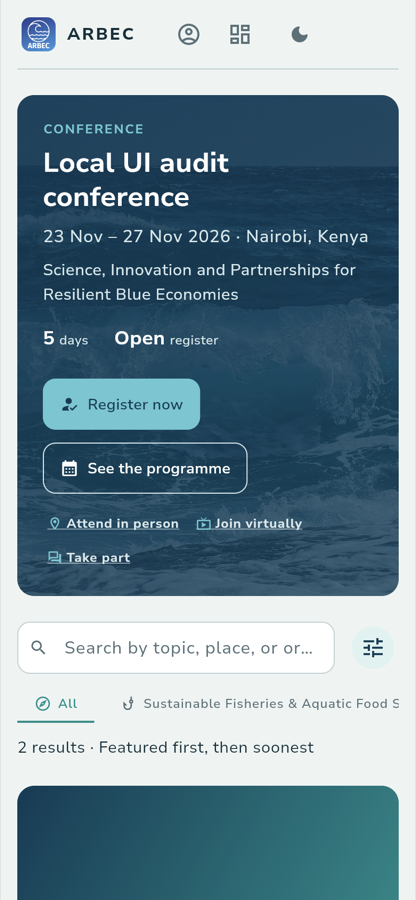
/eventsThe app opens on the list of conferences you can join. Pick yours here and everything else happens inside it.
What you see
A featured conference card, then a search field, a row of topic filters, and the result count:
2 results · Featured first, then soonest
Scroll down and the second card is the one you want. Everything on it is published by the organizer, not written by the app:
TitleThe 3rd Aquatic Resources & Blue Economy Conference (ARBEC III)
WhereNairobi, Kenya · In Person
OrganiserKenya Marine and Fisheries Re…
What you tap
View event, on the ARBEC III card.
What happens
The app opens that conference's public page. The address becomes
/conferences/<public-id>. You can share that link with anyone, signed in or
not.
Where you go next
:::note Walked against the running app
Verified on the local stack on 29 September 2026 — API on :13033, Flutter
web on :13081. The screenshot is a real capture at 390 px, the width of a
phone.
:::